Why I ditched Calendly and built a custom booking plugin for WordPress
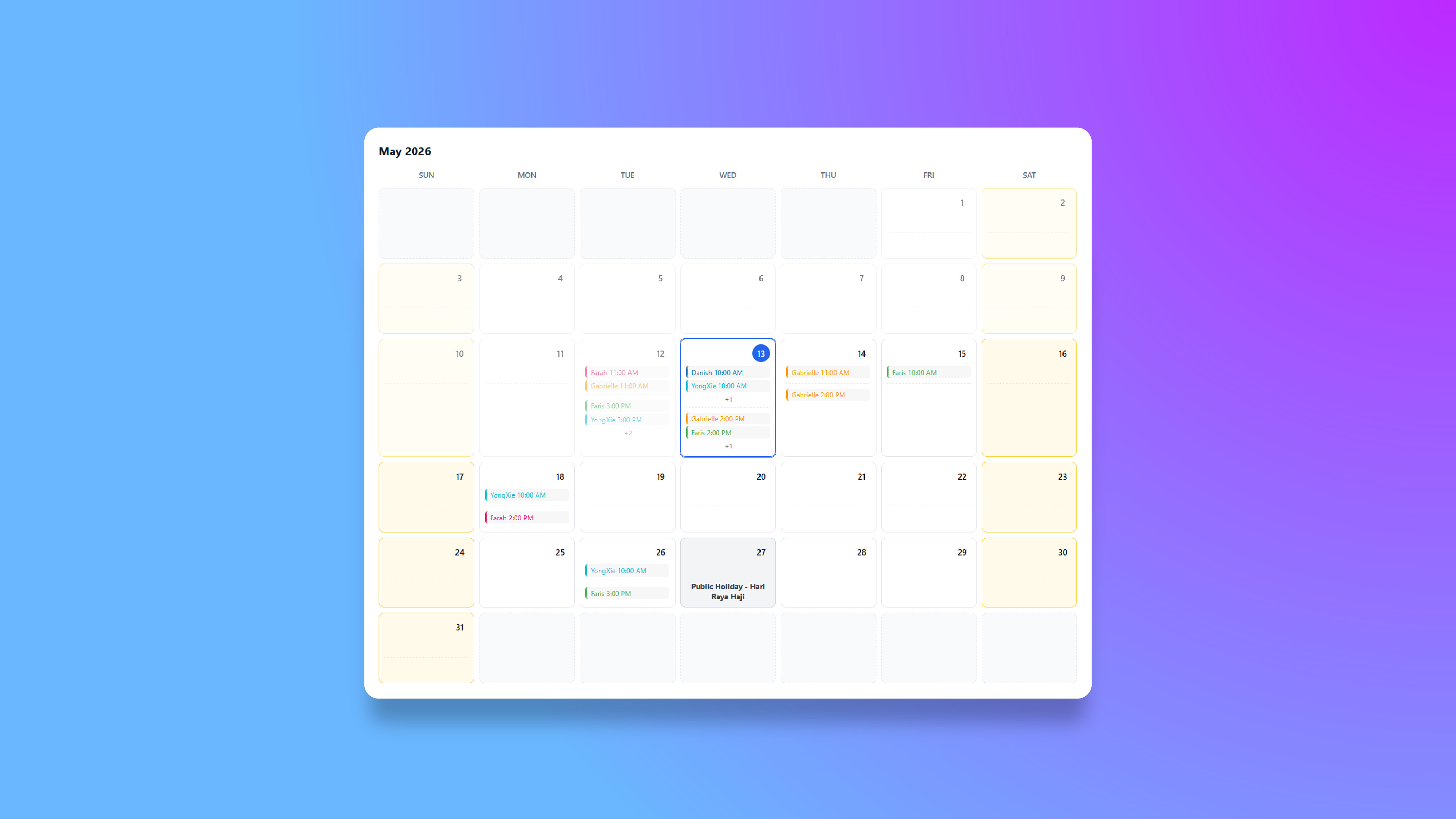
Project: Worksy HRMS - Lead Calendar for Fluent Forms
Role: Full-Stack WordPress Developer
Timeline: Q2 2026
Worksy needed a booking flow for demo requests, but the real problem was not scheduling alone. The team needed a system that could route leads by company headcount, distribute bookings fairly across reps, and stay inside the existing Fluent Forms workflow.
Calendly handled basic scheduling, but it did not solve the routing logic, the handoff rules, or the self-hosting requirement. I built a custom WordPress plugin instead, so the sales team could keep using the tools they already had while the booking process became faster and more reliable.
Why Calendly Was Not Enough
At a glance, Calendly looked like the obvious answer. In practice, it could not handle the operational rules behind our lead funnel.
| Requirement | Why Off-the-Shelf Fell Short |
|---|---|
| Integrate directly with Fluent Forms | The booking step needed to live inside the existing form flow, not as a separate SaaS redirect. |
| Route leads by company headcount | Different reps handle different company sizes, so the assignment logic had to be deterministic. |
| Load-balance across reps | Fair distribution required knowing each rep's upcoming bookings, not just round-robin assignment. |
| Prevent double-bookings | Concurrency had to be handled at the database and transaction level, not by hoping the UI behaved. |
| Stay self-hosted | The team wanted control over infrastructure and no per-seat SaaS fee for a workflow we could own. |
That made the decision straightforward: build the plugin in WordPress and make it part of the form lifecycle.
How the Plugin Works
The plugin sits inside WordPress as a Fluent Forms integration. When a lead submits the demo request form, the plugin intercepts the flow, creates a temporary appointment record, and reveals the booking calendar without forcing a redirect.
| Layer | Technology | Purpose |
|---|---|---|
| Plugin bootstrap | PHP | Registers hooks, loads classes, and sets up the integration. |
| Database | MySQL custom tables | Stores sales reps, blocked slots, and confirmed appointments. |
| Form integration | Fluent Forms hooks | Injects the calendar step and writes booking data back into the submission. |
| AJAX API | WordPress AJAX | Fetches slots, confirms bookings, and supports admin CRUD actions. |
| Frontend calendar | jQuery widget | Displays the inline month view and time slot picker. |
The key design choice was to keep the booking experience inside the same page and the same system. That reduced friction for leads and kept the sales team inside a workflow they already understood.
The Booking Flow
- The plugin intercepts the form submission through a Fluent Forms hook.
- It reads the lead's headcount and determines which reps are eligible.
- It creates a draft appointment with a secure one-time token.
- The calendar loads inline, with only valid slots returned from the backend.
- The lead picks a time and confirms the booking.
- The backend assigns the least-loaded eligible rep and commits the appointment inside a database transaction.
- The confirmed booking is written back into Fluent Forms and the sales notifications go out.
The user sees a simple booking flow. Under the hood, the system is doing the routing and integrity checks that keep it reliable.
The Hard Problems I Solved
1. Double-booking prevention
This had to be correct every time. I used three layers of protection:
- Database level: a unique key prevents duplicate appointment rows.
- Transaction level: the confirmation step runs inside a MySQL transaction with row locking.
- Application level: the one-time token is invalidated after successful booking.
That combination gives the booking flow real concurrency protection instead of relying on the UI.
2. Load-balanced rep assignment
Fair assignment mattered because the team did not want one rep absorbing all incoming demos. The plugin filters for headcount eligibility, removes reps who are blocked or already booked, then assigns the rep with the fewest upcoming bookings.
The result is deterministic, explainable, and easy to audit when the sales team needs to understand why a lead landed with a specific rep.
3. Slot generation performance
The naive approach would have been a slow loop of queries per rep, per day, per slot. I replaced that with bulk loading:
- One query for blocked slots
- One query for booked appointments
- One query for public holidays
- In-memory filtering for the final slot list
That reduced the backend work to three queries for the full calendar range instead of hundreds of small database hits.
4. Fluent Forms integration
The plugin needed to feel native, not bolted on. I hooked into the form lifecycle so the calendar step appears only when it should, and the booking data is written back into the submission entry the sales team already uses.
That means the workflow stays familiar while the manual scheduling step disappears.
Results
| Metric | Before | After |
|---|---|---|
| Lead response time | Up to 24 hours | Under 2 seconds |
| Manual scheduling work | Hours per day | Fully eliminated |
| Double-booking incidents | Occasional | Zero |
| Rep assignment method | Manual guesswork | Algorithmic load-balancing |
| Database queries per slot load | 448 | 3 |
| Monthly tool cost | Unknown staff time | $0 in SaaS fees |
What This Says About My Work
This project is a good example of how I approach systems work in general. I start with the bottleneck, build for correctness first, and only optimize where the data says it matters.
I also avoid forcing a SaaS tool into a workflow when the business logic is specific enough that a custom build is cleaner, cheaper, and easier to control.
The final result is a booking flow that is faster for leads, easier for sales, and more reliable for the business.